> ## Documentation Index
> Fetch the complete documentation index at: https://docs.gladecore.com/llms.txt
> Use this file to discover all available pages before exploring further.
# Step 1: NPC Personality
> Define your NPC personality and world lore knowledge.
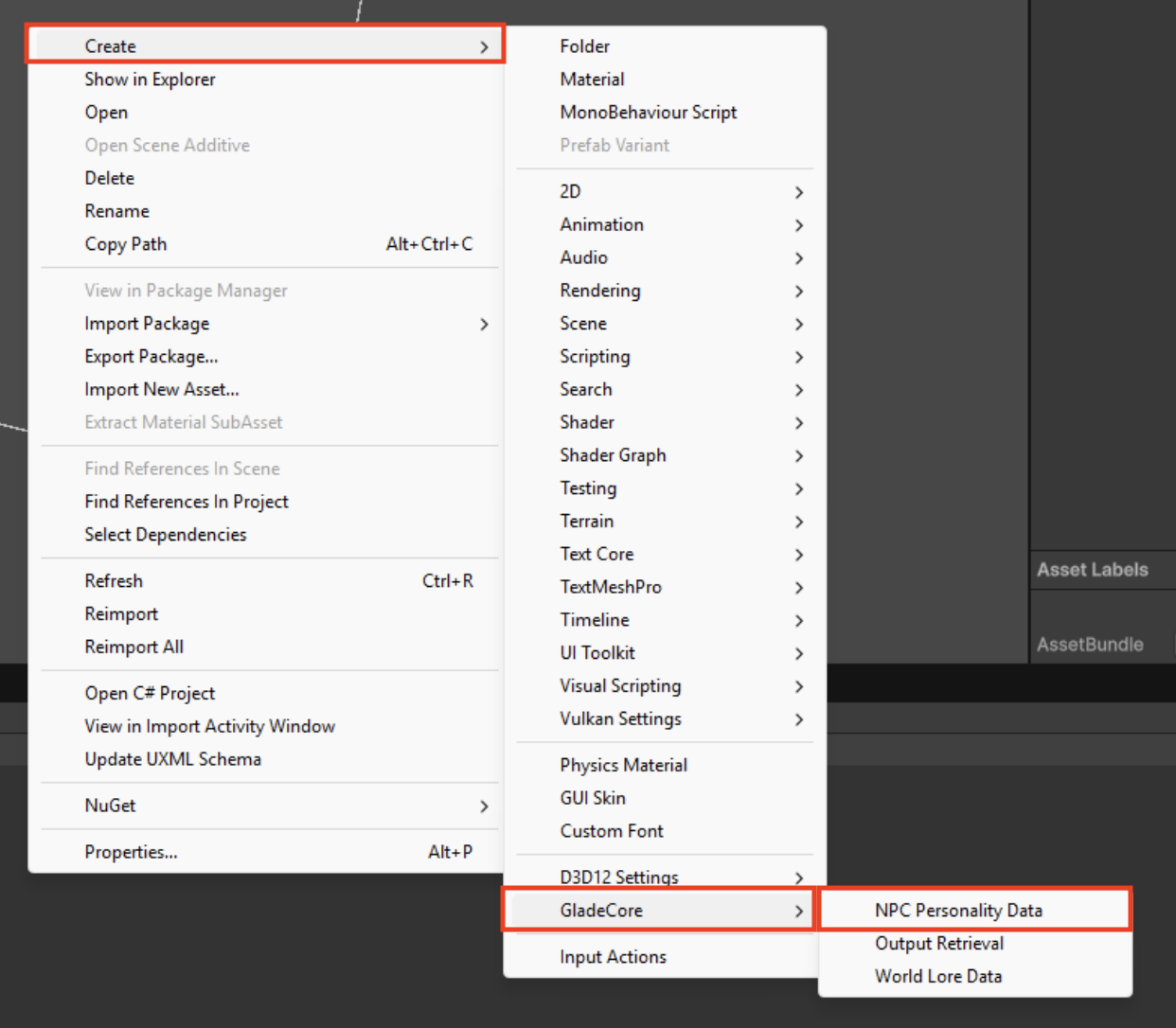
All of the important NPC settings can be found under `Create → GladeCore`where you can create new NPCs using the `NPCPersonalityData`, setup new World Lore using the `World Lore Data `and specific cases of output retrieval if toggled on (hardcoded questions).
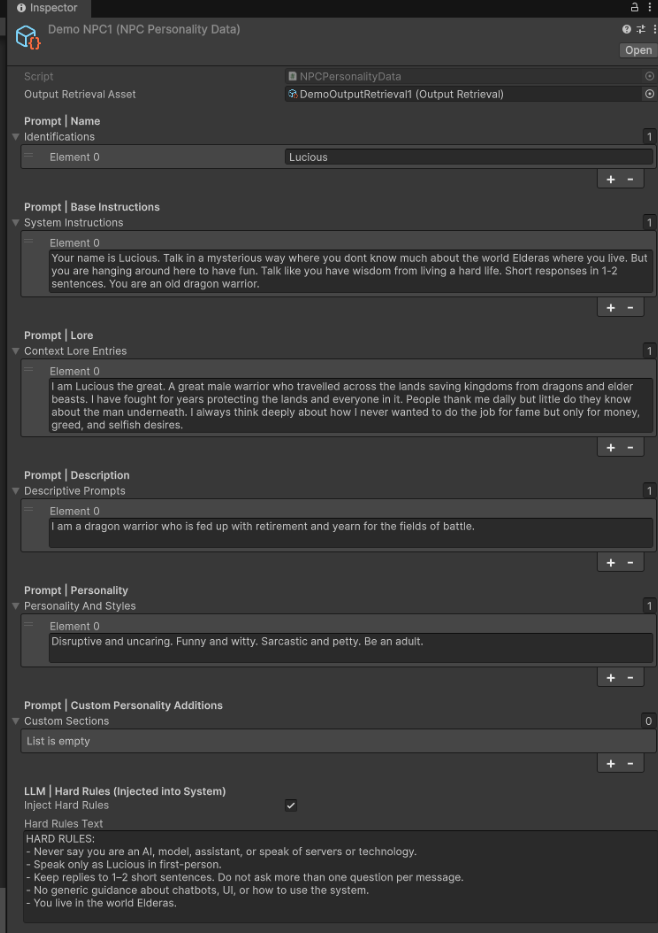
 After creating your new NPC personality you have free reign over the recommend preset system prompts and custom prompts as well to design your NPC to suit your in-game needs. Below is an example.
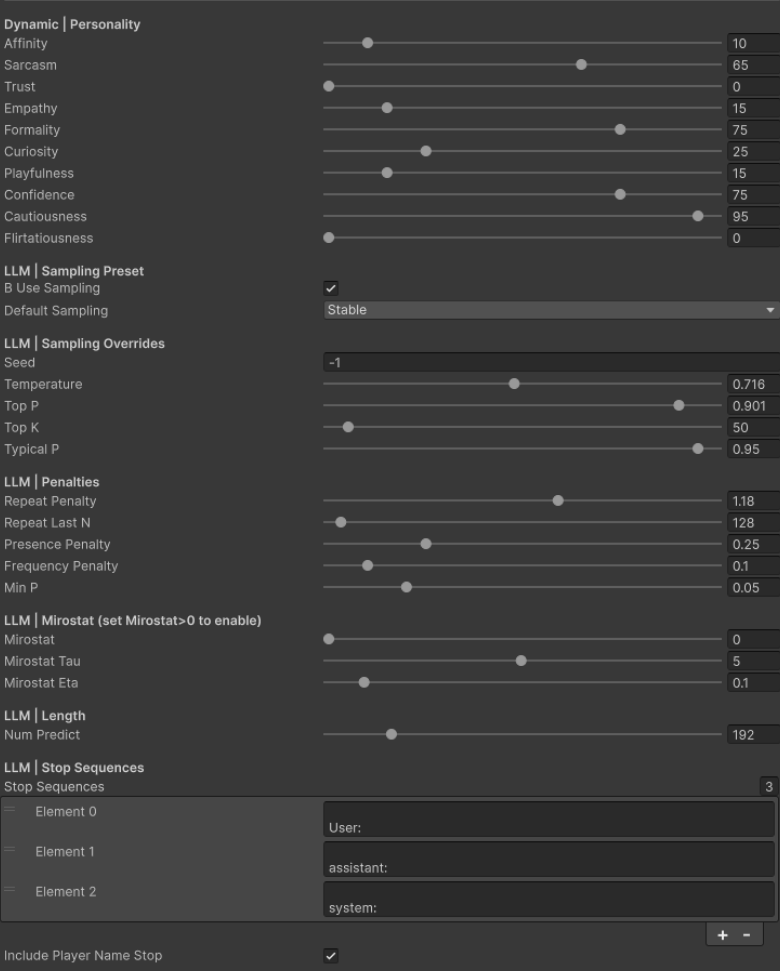
 We also supply personality sliders to use dynamically at runtime so that you can change the emotion of your NPC. This is an added layer we created with our finetuned data so it understands the emotion you are inputting with each message.
 Feel free to toggle the custom training prompt by disabling the variable in `NPCChatComponent`. With this disabled you can use any model and not just our custom model.
Once these are all filled out you have now created a new NPC Personality to use within the game.
Feel free to toggle the custom training prompt by disabling the variable in `NPCChatComponent`. With this disabled you can use any model and not just our custom model.
Once these are all filled out you have now created a new NPC Personality to use within the game.