> ## Documentation Index
> Fetch the complete documentation index at: https://docs.gladecore.com/llms.txt
> Use this file to discover all available pages before exploring further.
# Final Step: GladeCore is Ready!
> GladeCore is now all set up and ready to be used. Be sure to add any required license TXT files in your project when commercializing.
With the assets now fully configured and customized for your project, GladeCore is fully ready to be used!
If you are using the base version of GladeCore that uses a Llama model, if and when you commercially release your product using GladeCore please include a `.txt` file copy of this Meta [license](https://huggingface.co/meta-llama/Llama-3.2-1B/resolve/main/LICENSE.txt) and [notice](/files/llama3.2_notice) anywhere in your project files. Per the license, you are free to redistribute at no cost so long as you include those files and denote "**Built with Llama**" in your game credits, website, or about / help section.
If you prefer to use another model instead, we can support any model - you just need to edit the model template in `LLMServiceManager.cpp` and place the model’s `.gguf` file in your project directory (e.g. `PathToYourProject\Plugins\GladeCore\Source\ThirdParty\LinkGGML\Models`).
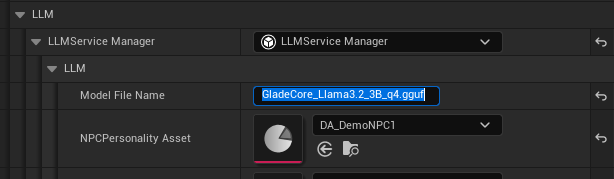
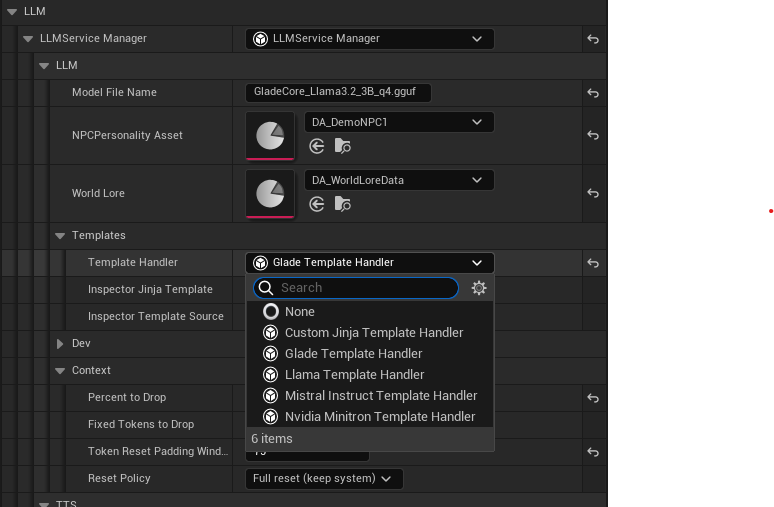 After editing the template, you can then the model file name as shown below to use the custom model in the Models path specified above. To use the NVIDIA models, please download the model and accept the license from their NVIDIA Ace for Games website.
 If you have any additional questions on how to customize GladeCore further or run into any issues with setup, please reach out to us on our [Discord](https://discord.com/invite/Qpum9JuDT7).
Continue to the [next section](/unreal/pro-setup) if you are a Pro user or interested in functionality Pro subscribers have.
If you have any additional questions on how to customize GladeCore further or run into any issues with setup, please reach out to us on our [Discord](https://discord.com/invite/Qpum9JuDT7).
Continue to the [next section](/unreal/pro-setup) if you are a Pro user or interested in functionality Pro subscribers have.