> ## Documentation Index
> Fetch the complete documentation index at: https://docs.gladecore.com/llms.txt
> Use this file to discover all available pages before exploring further.
# Pro: Actions
The Actions section on the LLM component controls how action calls emitted by the model are played back. Auto-Play Action Montages automatically triggers the bound AnimMontage when the model invokes an action. Target NPC Actor and Target Mesh (override) let you redirect playback to a specific actor or skeletal mesh.
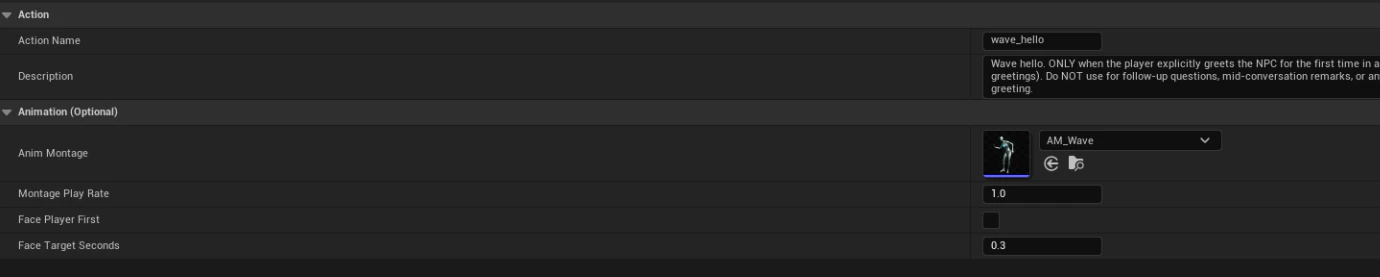
 Each action is a `UGladeActionAsset` with an Action Name (e.g. wave\_hello), a natural-language Description the model sees when deciding whether to invoke the action, and an optional AnimMontage (AM\_Wave) plus playback options: Montage Play Rate, Face Player First, and Face Target Seconds.
 Below is an example Pro Features panel showing where to apply actions to NPC.
 The Pro Features section groups premium capabilities: Grammar (GBNF-constrained decoding), RAG, Output Retrieval, and Actions. Actions are configured as a list of UGladeActionAsset references with an Actions Enabled master toggle. Grammar (Pro) supports built-in presets or a Custom (raw GBNF) grammar string, with Grammar First controlling decode priority.