> ## Documentation Index
> Fetch the complete documentation index at: https://docs.gladecore.com/llms.txt
> Use this file to discover all available pages before exploring further.
# Pro: Output Retrieval
Hardcoded Q\&A shortcuts for common questions (e.g., “who are you”, “where are we”). These bypass the LLM entirely.
### Create the Asset
To create the output retrieval asset, `Right-click → Miscellaneous → Data Asset → Output Retrieval Data` .
### **Configuration**
 * **Entries**\
Array of Question, Answer pairs
* Keep questions short (3-4 words recommended)
### **Link and Enable**
* **Entries**\
Array of Question, Answer pairs
* Keep questions short (3-4 words recommended)
### **Link and Enable**
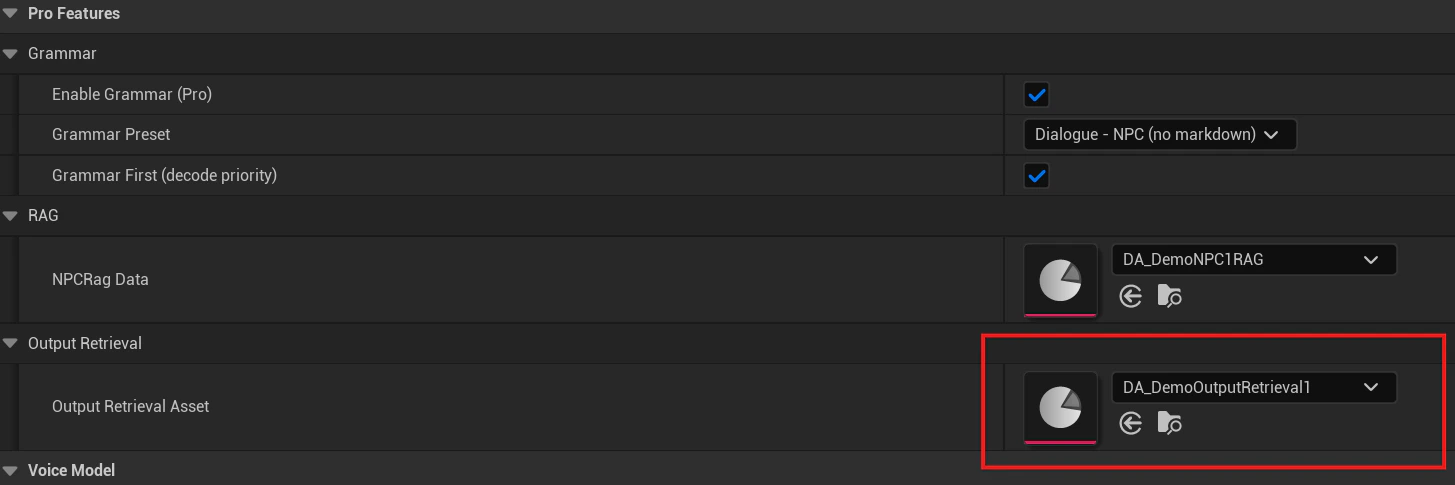 1. **Assign Asset**\
`UNPCPersonalityData → Pro Features | Output Retrieval → Output Retrieval Asset`
2. **Enable in Service Manager**\
`ULLMServiceManager → Pro Features | Output Retrieval`
* **Enable Output Retrieval (Pro)** - Master toggle
* **Stream Output Retrieval** - Simulates real-time output *(default: ON)*
* **Output Retrieval Tokens Per Sec** *(default: 75)* - Streaming speed
1. **Assign Asset**\
`UNPCPersonalityData → Pro Features | Output Retrieval → Output Retrieval Asset`
2. **Enable in Service Manager**\
`ULLMServiceManager → Pro Features | Output Retrieval`
* **Enable Output Retrieval (Pro)** - Master toggle
* **Stream Output Retrieval** - Simulates real-time output *(default: ON)*
* **Output Retrieval Tokens Per Sec** *(default: 75)* - Streaming speed