General Setup
- Create
TTSConfigPrefab and Assign it to you Character’sTTSManagercomponent (there is one provided insideGladeCore Scripts -> TTS -> Config)
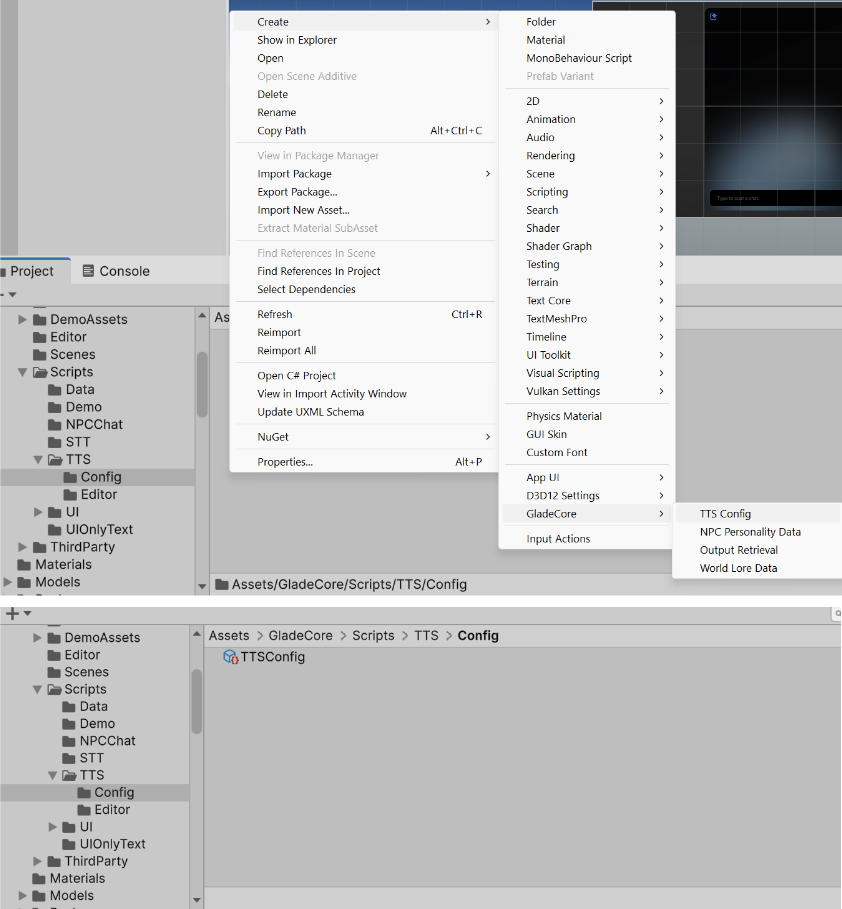
- Open
NPCPersonalityDataPrefab used for the your character
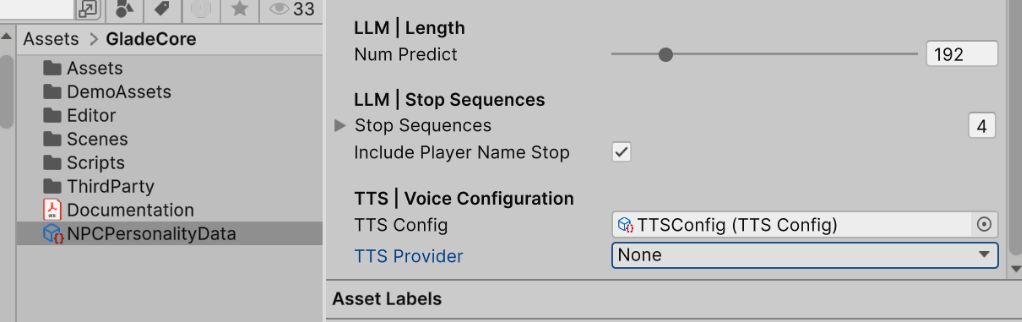
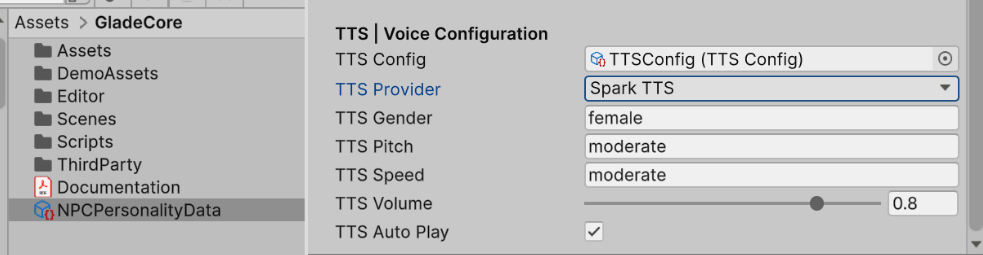
- Select TTS Provider (None means disable TTS). We recommend ElevenLabs as local options for TTS are still very slow and lower quality.
- ElevenLabs
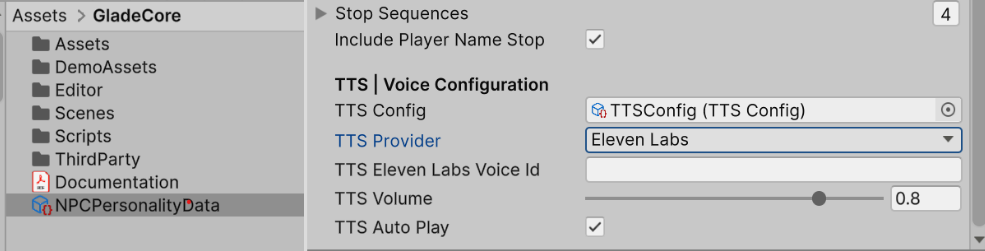
- Spark TTS (Slow Generation Speed, use it for research)
- Check Enable TTS in NPCChatComponent of your character

TTS Config
Follow the configuration steps below, first section is ElevenLabs config and section section is for Spark TTS.- Cloud TTS Provider Configuration (ElevenLabs)
- Open TTS Config
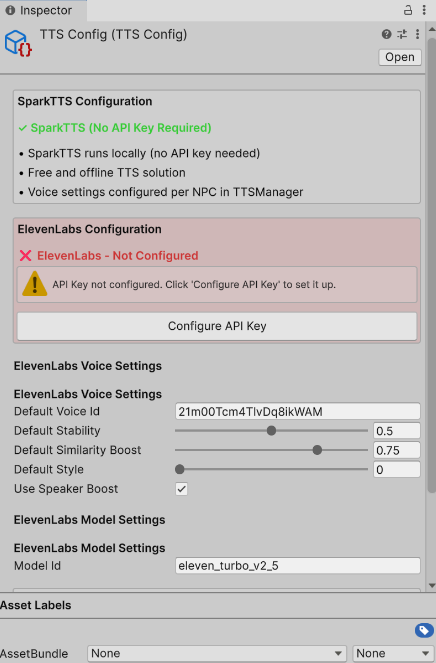
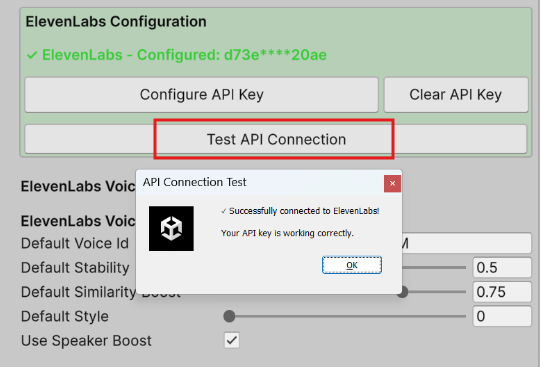
- Add your ElevenLabs API Key and Press Save API Key
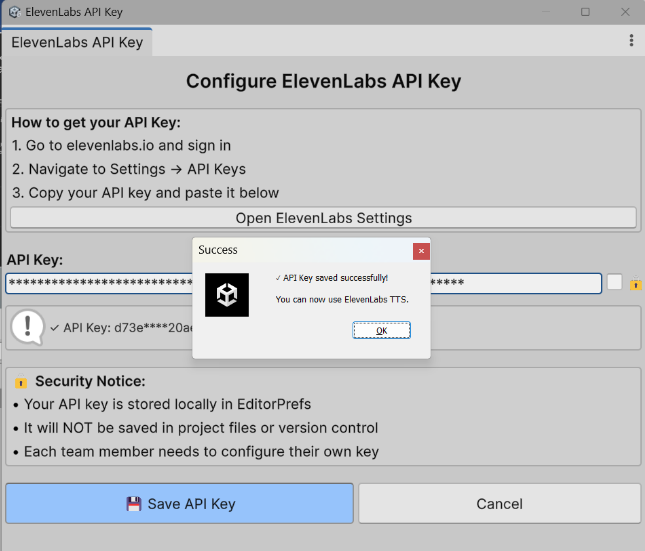
- Click
Test API Connectionto test
- Open your Unity project
- Open the Package Manager (Window > Package Manager)
- Click the ”+” button in the top-left corner
- Select “Add package from git URL…”
- Enter the repository URL: https://github.com/arghyasur1991/Spark-TTS-Unity.git
- Click “Add”
https://drive.google.com/file/d/1YXj81ApcEasY17a8Zj9RqTpvn4s1UKk7/view
- Download/Unzip files from link
- Move the SparkTTS folder directly into the Assets/models folder. If there is none, make one.
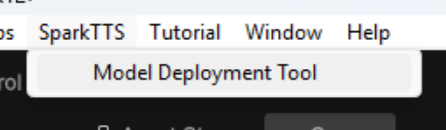
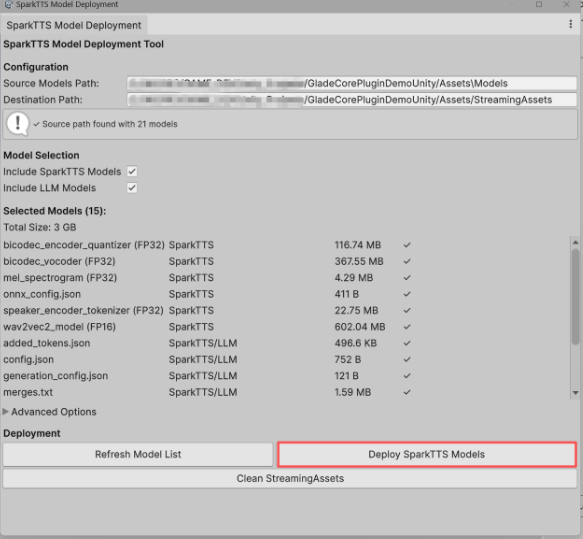
- Use the Model Deployment Tool found at the top of Unity Editor