

General Setup
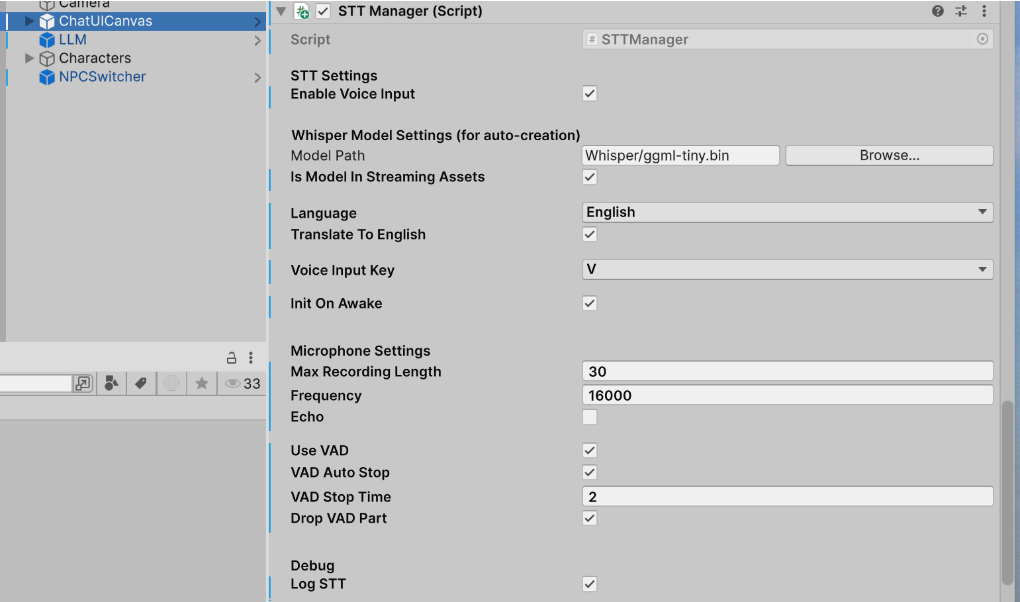
- Go to ChatUICanvas in the DemoChat Scene. Find STTManager Script.
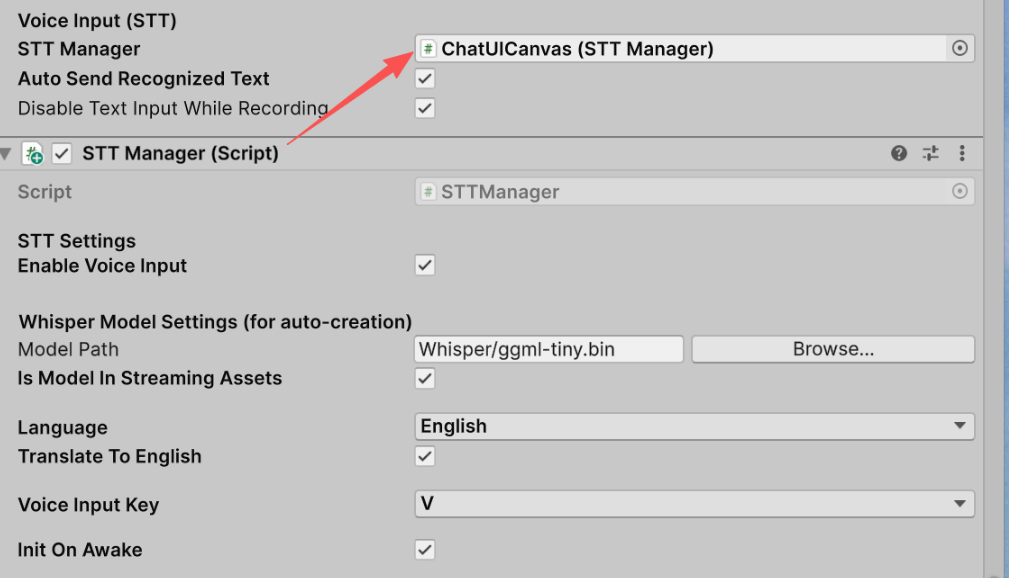

- Auto Send Recognized Text: Checked by default. The recognized STT text is sent to the chat automatically.
- Disable Text Input While Recording: Checked by default. The user cannot type in the chat while recording.
STT Manager Settings
- Check Enable Voice Input to enable STT

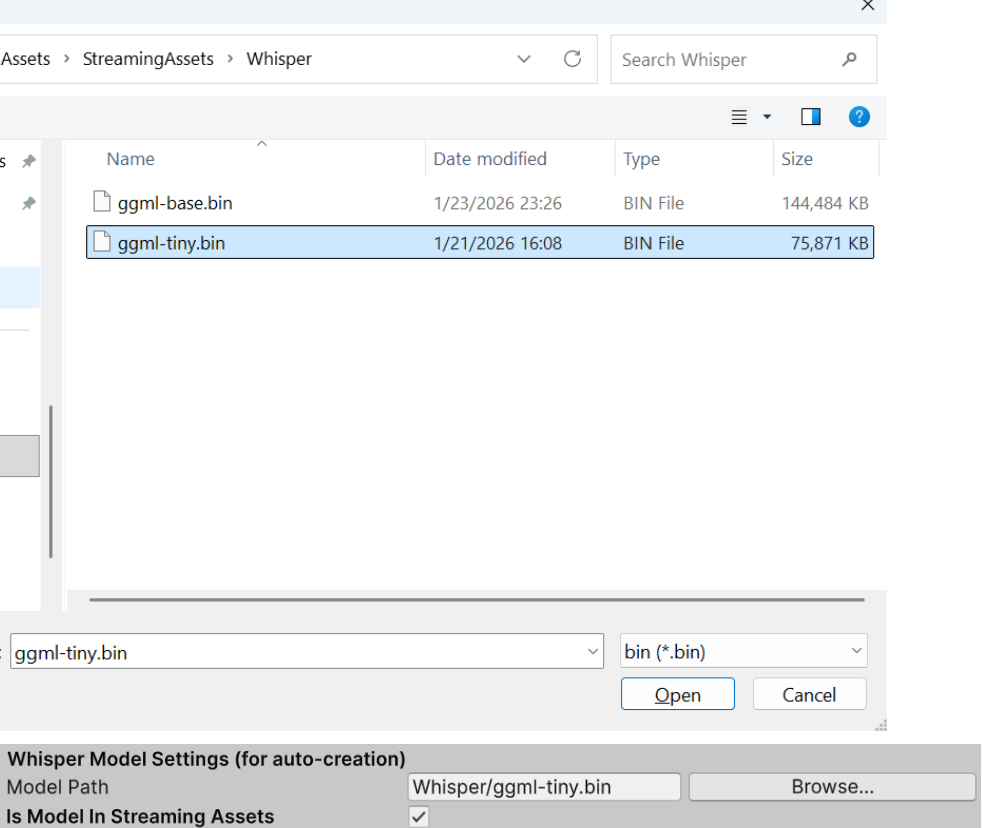
- Model Path
- Download whisper models from https://huggingface.co/ggerganov/whisper.cpp/tree/main
- Copy the model file to
/Assets/StreamingAssets/Whisper/ - Select the model for STT

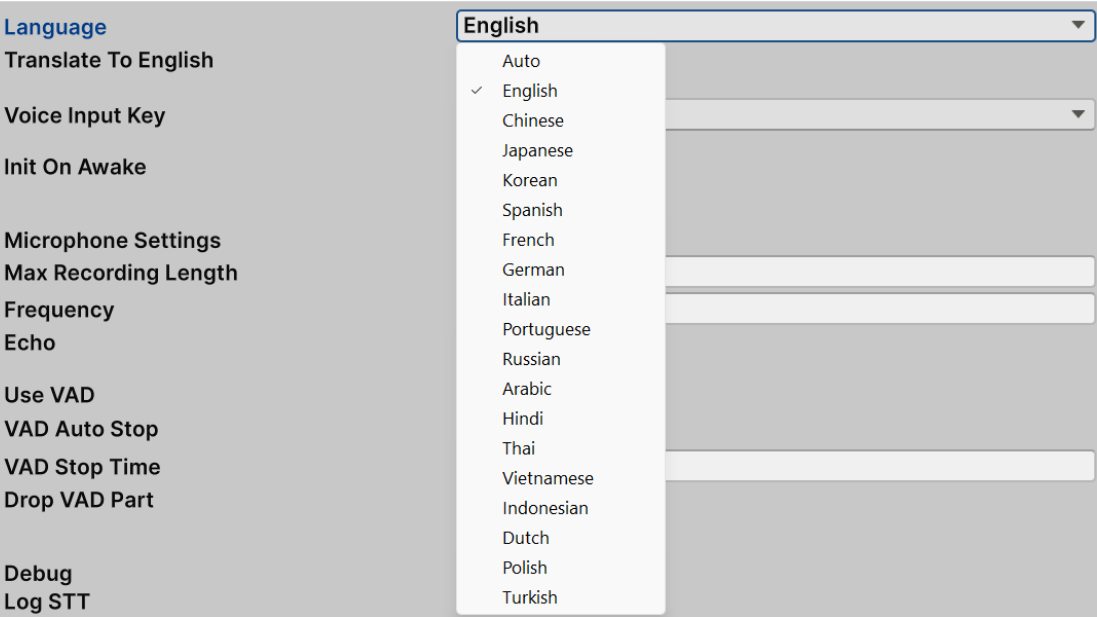
- Select the Language
- Select Voice Input Key

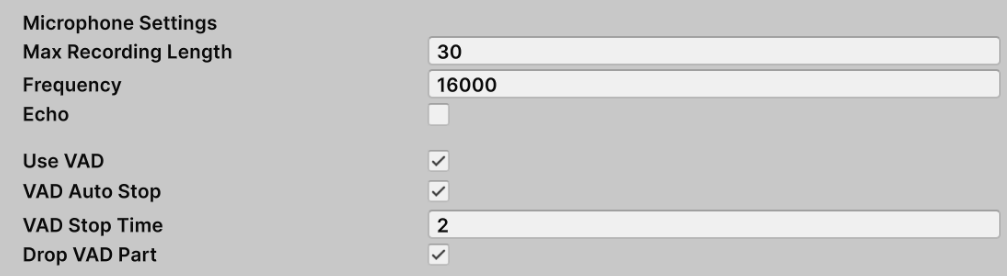
- Microphone Settings
- Debug
