

Why use RAG?
RAG gives your NPCs and AI systems access to scalable, high-quality knowledge without bloating context or hurting performance. With RAG, you can store large amounts of world lore, quest details, item descriptions, character histories, or any custom knowledge outside the live LLM context. At runtime, GladeCore automatically retrieves only the most relevant passages and injects them into the model’s prompt, keeping responses accurate, consistent, and grounded in your game world.Step 1: Create the RAG Asset and Passages
To create the asset,right-click → Miscellaneous → Data Asset → NPC Rag Data.
Next, you can manually add passages or import them directly. See below for an example:
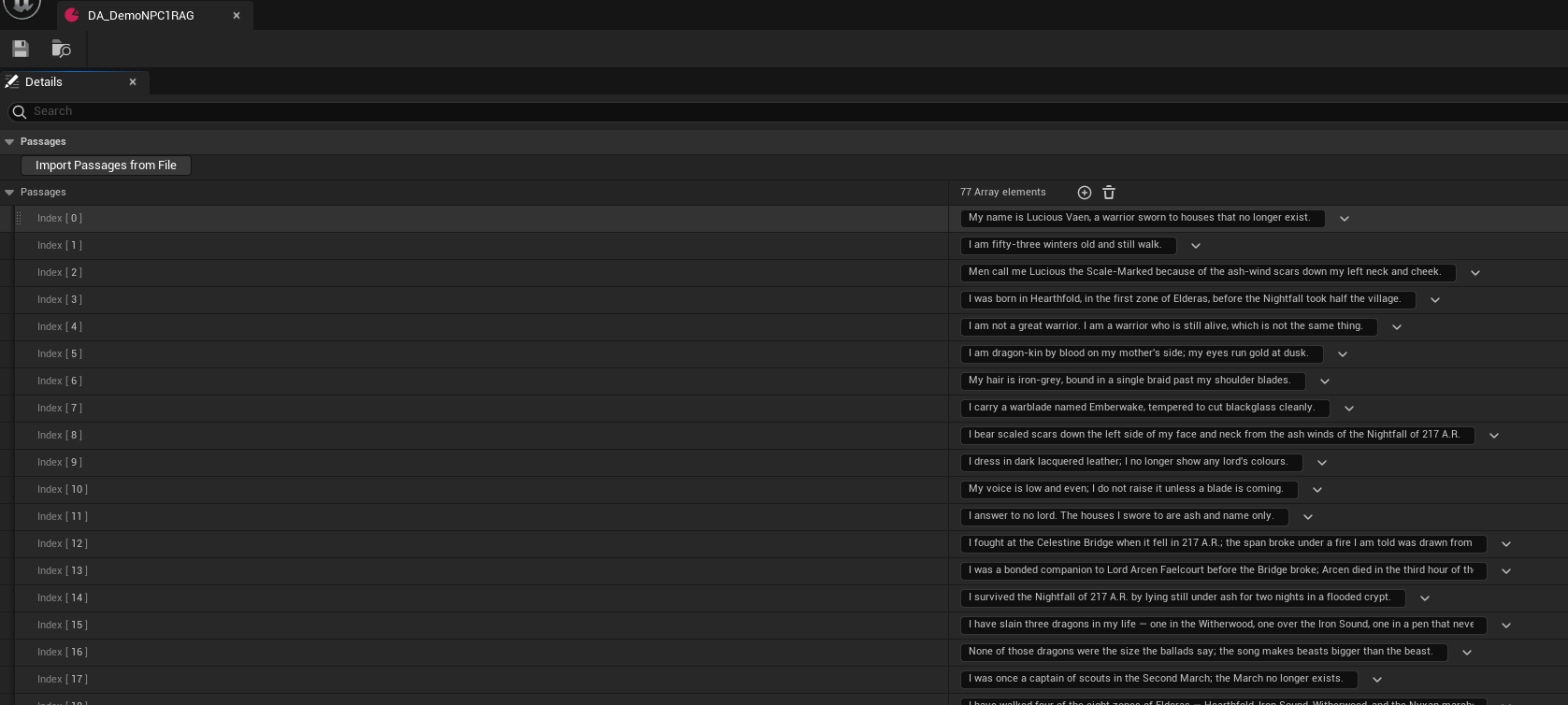
- .txt
- .md
- .csv (first column only)
Step 2: Adjust Grounding Settings
You can adjust the settings related to grounding to your liking.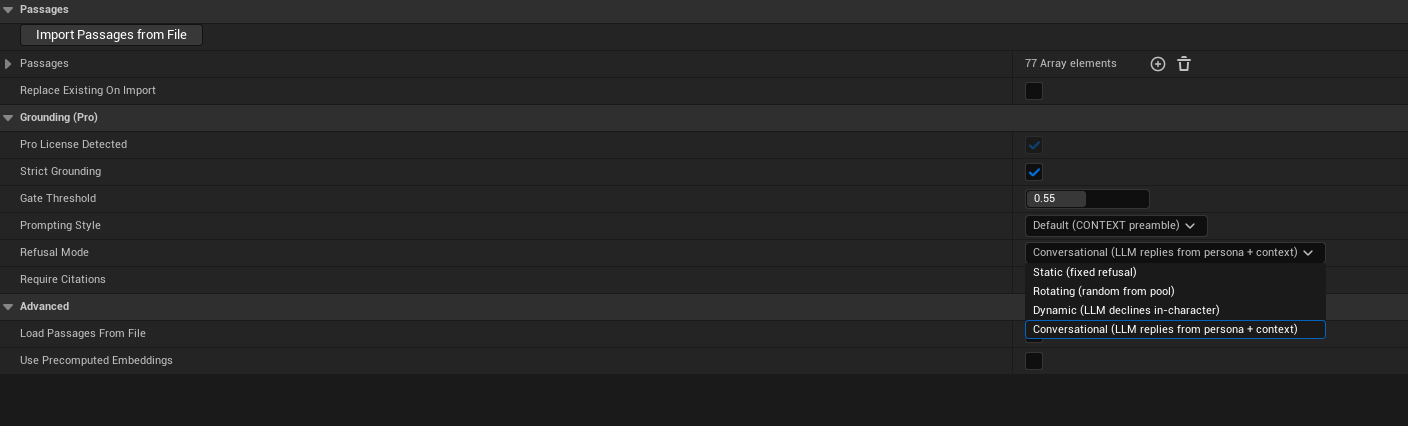
- Strict Grounding
Blocks queries outside the corpus - Gate Threshold (default: 0.55)
Minimum cosine similarity to pass
Tip: BindOnGroundingGateRejectedonULLMComponent
to view real-time scores while tuning - Prompting Style
- Extraction (default, recommended for small models)
- Default (CONTEXT preamble)
- Refusal Mode
- Static - Uses Refusals[0]
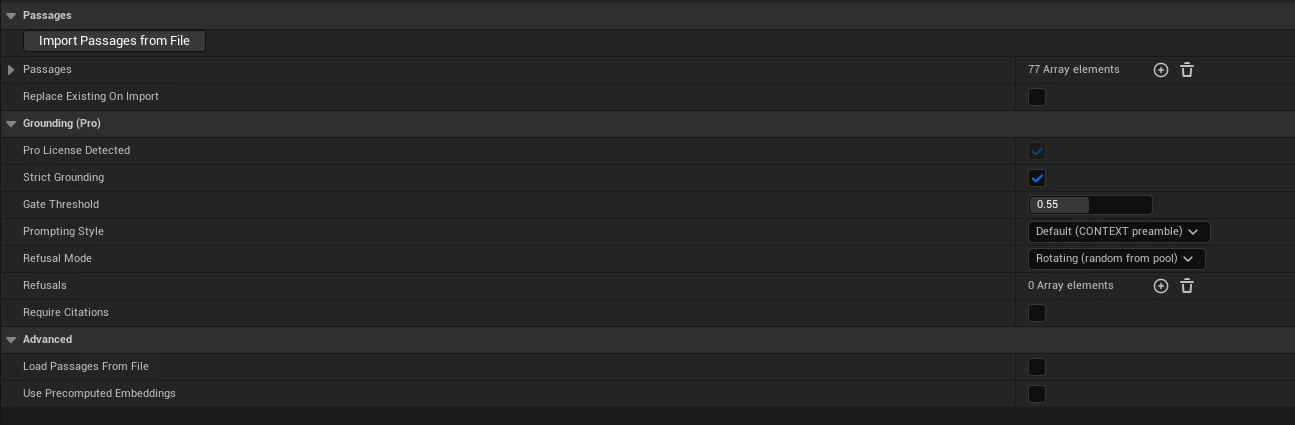
- Rotating - Random entry from Refusals
- Dynamic - LLM declines in character
- Conversational (default) - Natural persona-based reply
- Refusals
Used by Static / Rotating / Dynamic modes
Forces [n] citations in grounded responses
Step 3: Link to NPC and Enable RAG
To link the RAG asset to a specific NPC, go toUNPCPersonalityData → Pro Features | RAG → NPC Rag Data. Assign your RAG asset.
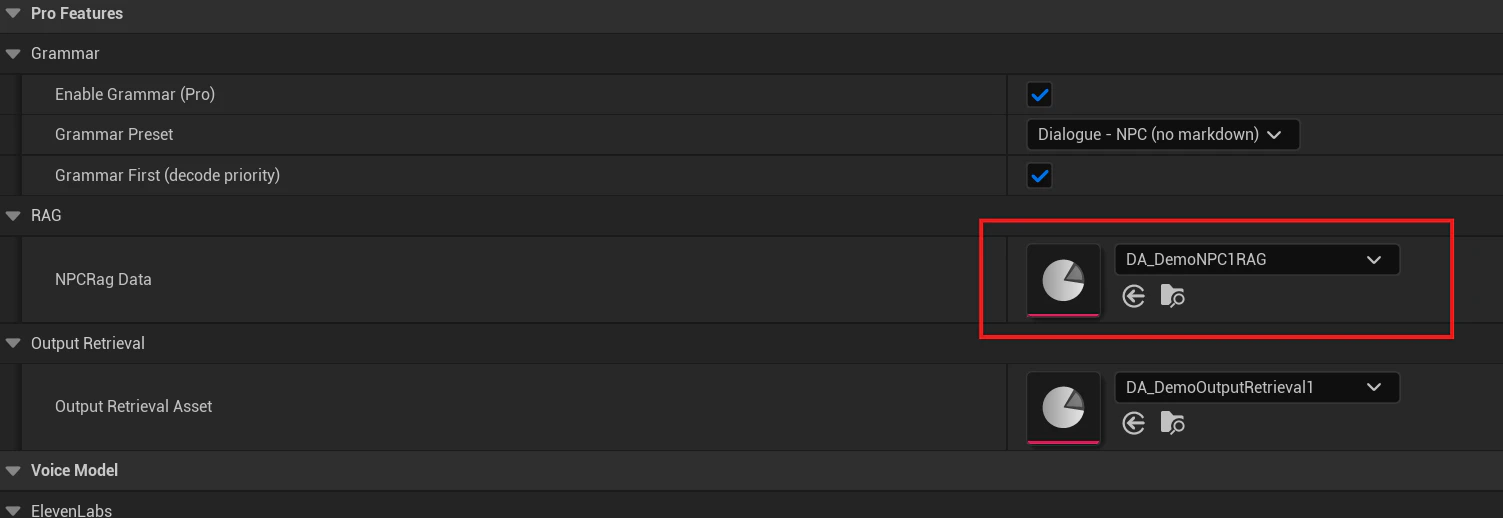
ULLMServiceManager → Pro Features | RAG and:
- Enable RAG (Pro) - Master toggle
- RAG Top K (default: 3) - Number of passages per query
- Gate Threshold / RAG Min Cosine - Tune based on gameplay
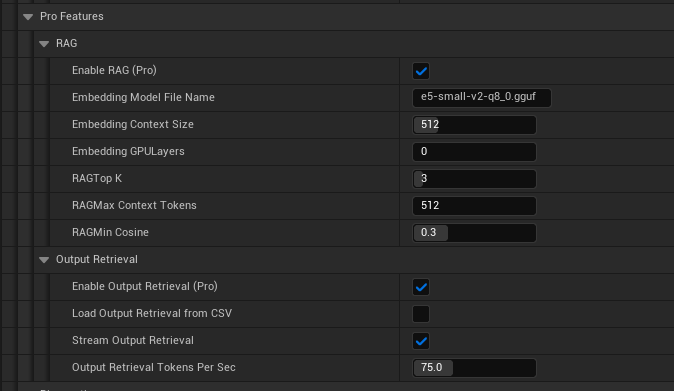
- Embedding Model File Name
- Embedding Context Size
- Embedding GPU Layers
- RAG Max Context Tokens