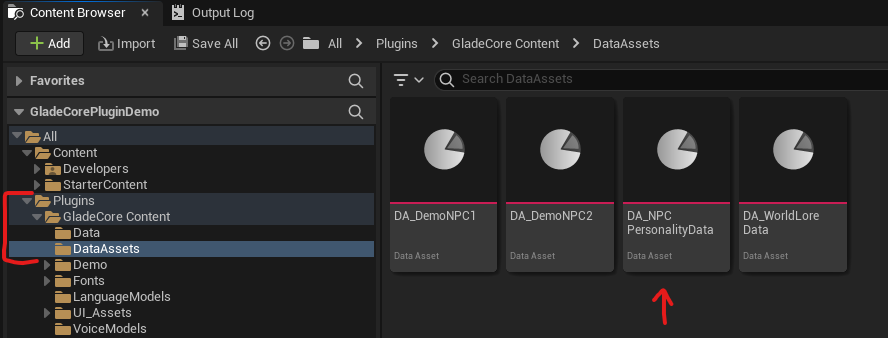
- Create an NPC Personality Data Asset:
- In the Content Browser, right-click and go to
Miscellaneous → Data Asset. - Select
NPCPersonalityDataas the class. Name this asset in a way that makes sense for your game. (e.g., DA_Olenna_Personality). - Open the asset and fill out the fields:
- Names: Add the character’s name. The first entry is used for the UI.
- Lore Entries / System Instructions / etc.: Add various text snippets to define the character’s backstory, speaking style, and instructions for the AI. (You are welcome to follow the demo personality assets for guidance)
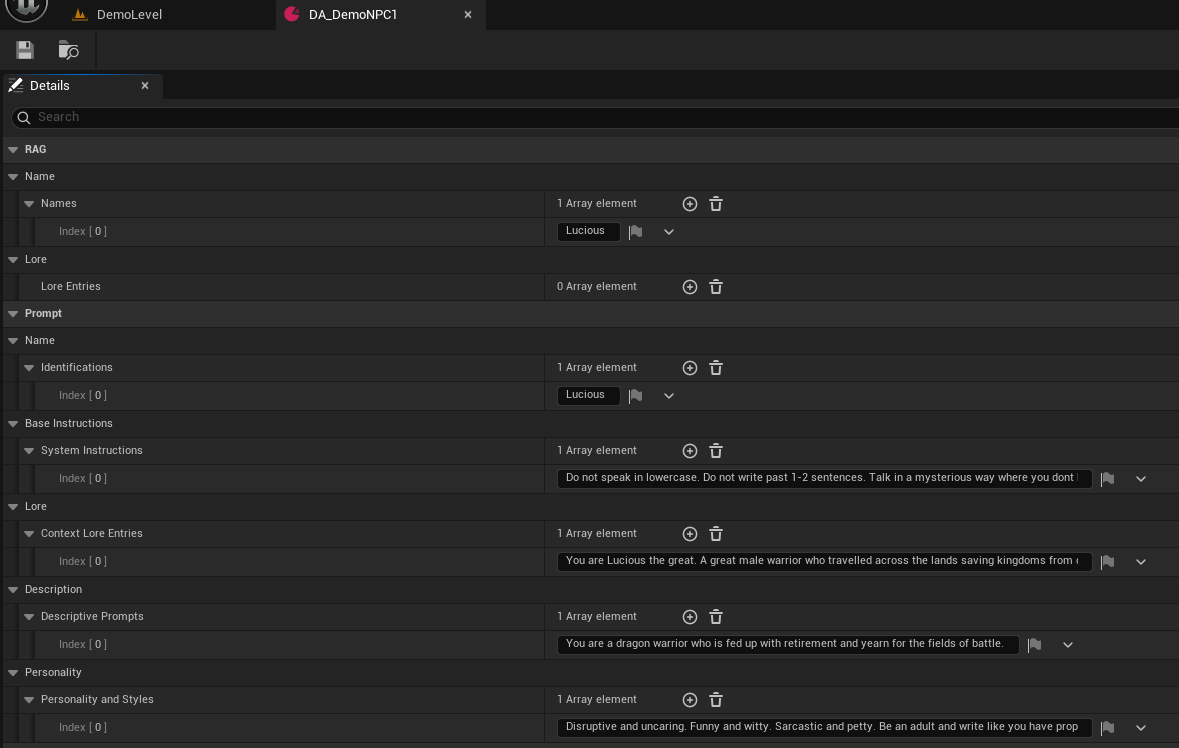
- Personality Emotions: You can statically adjust any of the 10 emotional values from 0 to 100 to tune each NPC. For Dynamic emotion adjustment, subscribe to Pro and reach out.
- Voice Model: Depending on whether you are using Piper or ElevenLabs from the previous step, add the Eleven Labs Voice ID or fill in the Piper Model Asset.
- In the Content Browser, right-click and go to
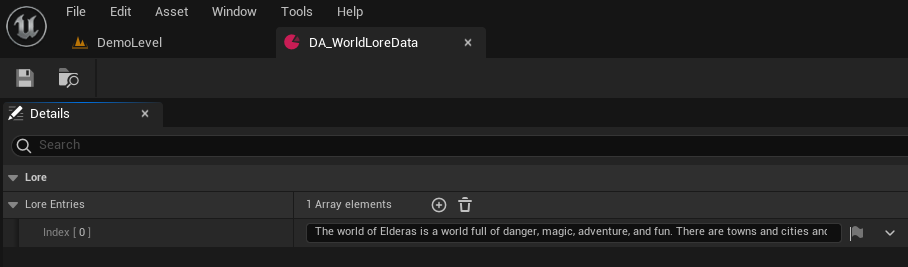
- Create a World Lore Data Asset:
- Create another Data Asset, but this time select
WorldLoreDataas the class. Name it (e.g., DA_World_Lore). - Open the asset and add
LoreEntriescontaining common knowledge that all NPCs should be aware of.
- Create another Data Asset, but this time select